Feedier 4.0: A Clearer Platform, a Smarter Way to Turn Feedback Into Decisions
Most organizations don’t suffer from a lack of customer feedback.
They suffer from too much feedback, coming from too many places, with no clear way to turn it into decisions.
Reviews, surveys, support tickets, NPS comments, open-text fields…
The data exists. The insight often doesn’t.
Feedier 4.0 is a major evolution of the platform designed to solve that exact problem.
This release focuses on three fundamentals that are essential once feedback starts to scale:
- A navigation that reflects real roles and real workflows
- A new foundation to centralize feedback across channels without breaking consistency
- AI-powered insights that let teams ask their own questions to customer feedback, in plain language
Feedier 4.0 isn’t about adding complexity.
It’s about removing friction between what customers say and what teams need to decide.
This is a key step in Feedier’s vision: building an AI-Analyst for Customer Insights that works across teams, sources, and volumes of feedback.
A Navigation Built Around How Teams Actually Work
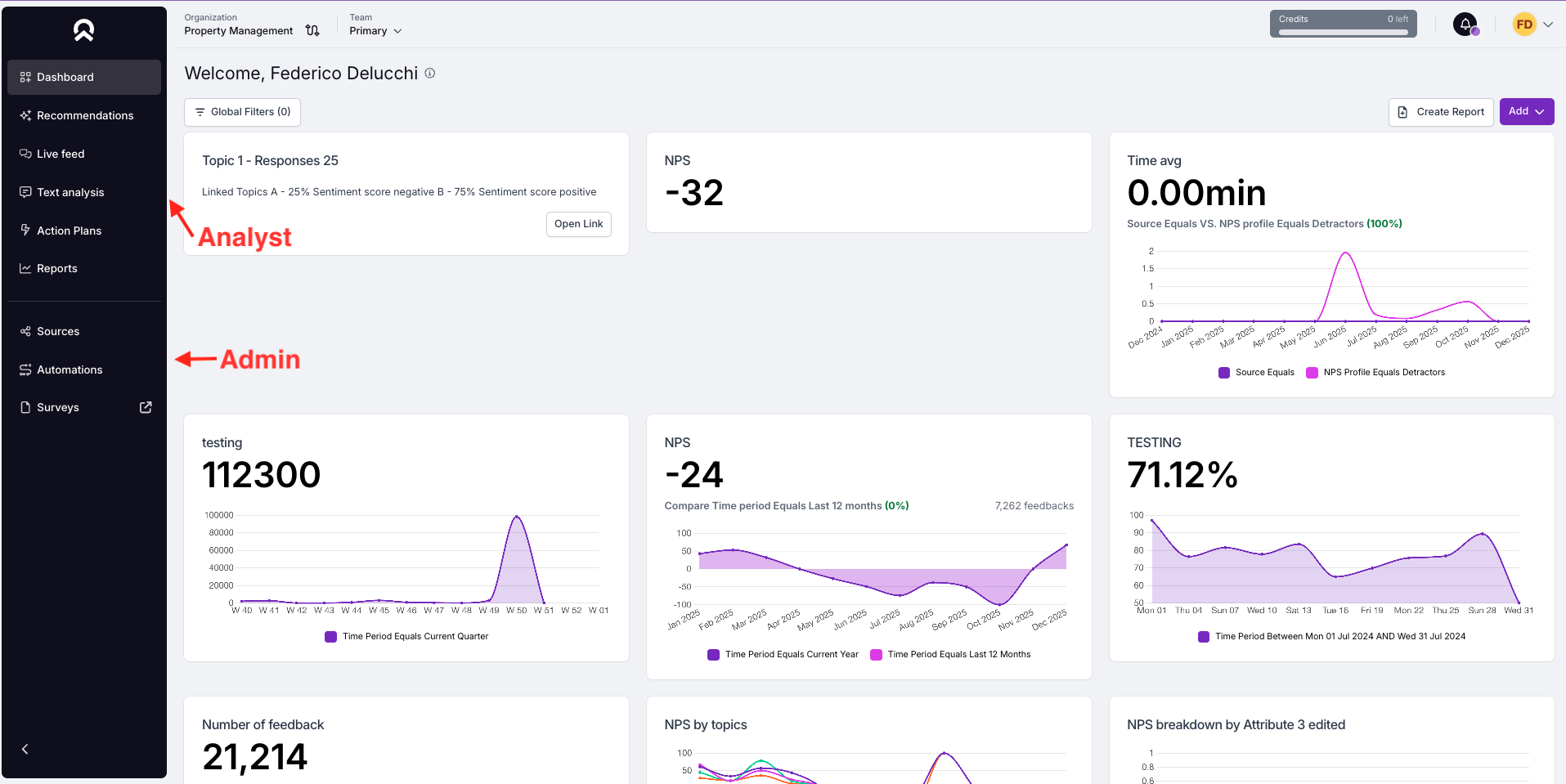
Feedier 4.0 introduces a fully redesigned navigation, moving from a horizontal menu to a vertical navigation, structured around two distinct customer journeys:
- Analyst Journey
- Admin Journey
Each section of the platform is now grouped based on what users actually do, rather than how features were historically organized.
How it Works
- Analyst Journey focuses on:
- Monitoring dashboards
- Managing feedback in Live Feed
- Digging into Text Analysis
- Reporting
- Admin Journey focuses on:
- Managing sources and imports
- Automating workflows
- Configuring surveys and sending them
The separation makes it clear where to go depending on your role and objective.
Smart Insights: Ask Your Own Questions to Your Customers
What’s new
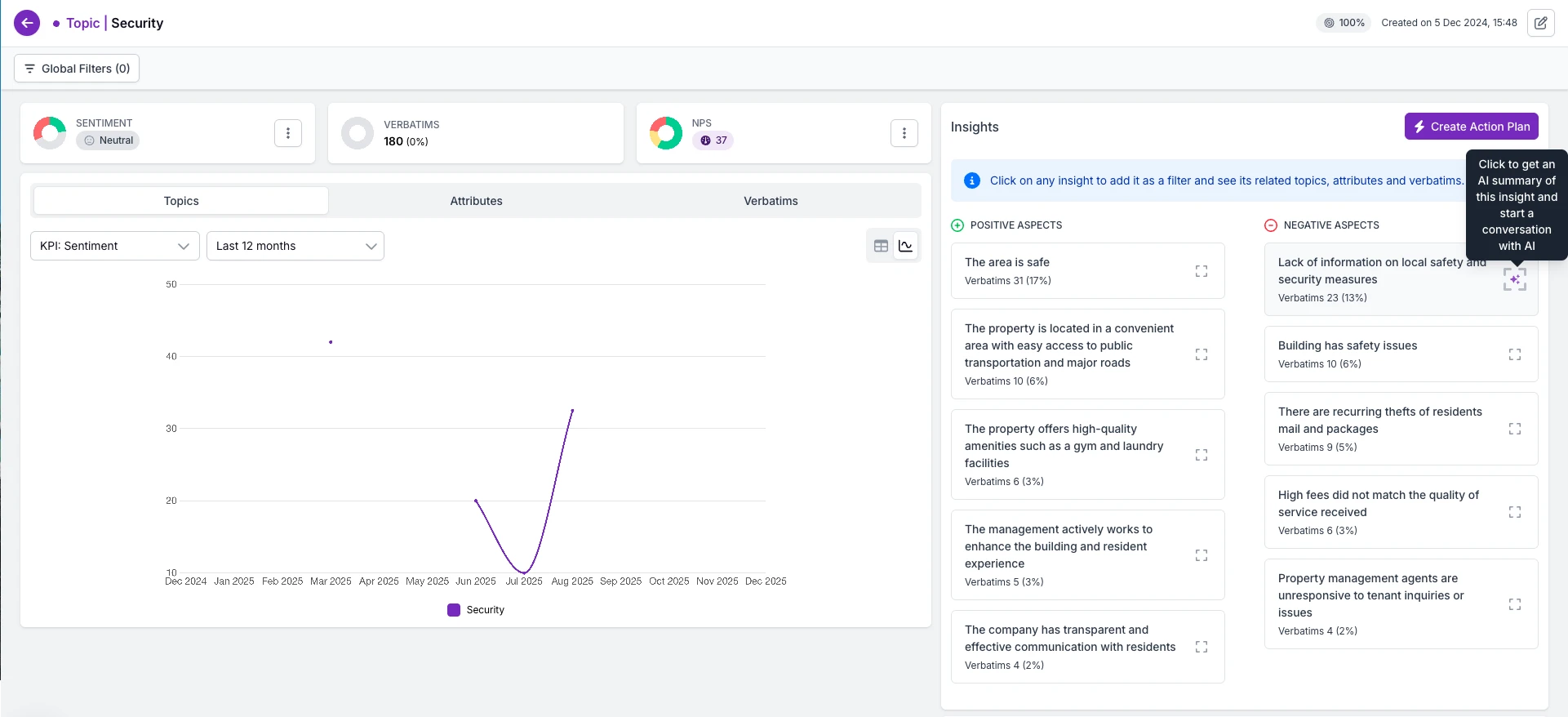
Smart Insights introduce an open prompt that allows you to ask custom questions directly to your text data. This goes beyond predefined AI insights such as pain points and advantages.
Example:
“Are customers suggesting new products?”
How it works
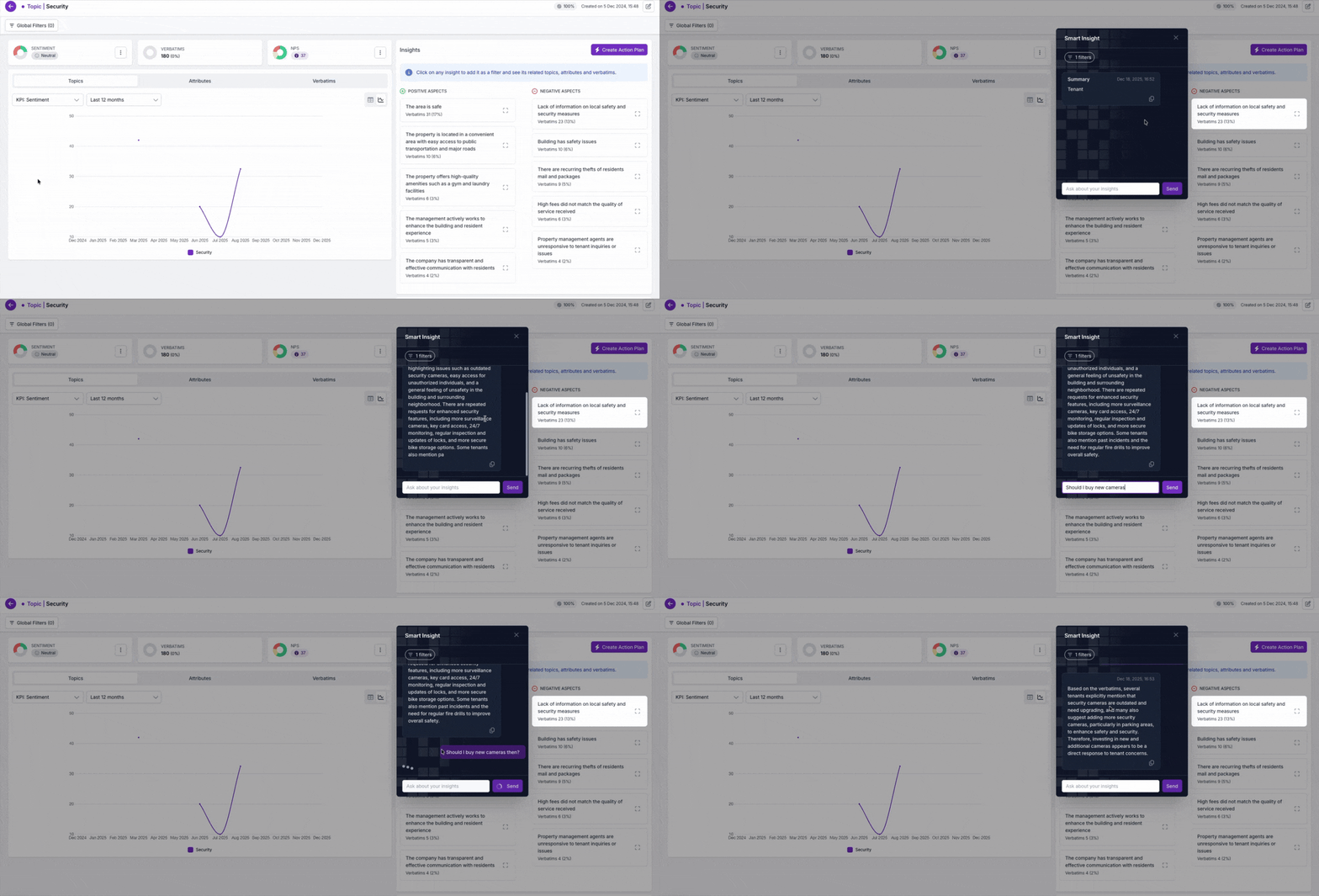
- An open question field is available in:
- Topic Segments view
- Topics Analysis view
- You type a natural language question
- The system:
- Filters the most relevant verbatims
- Generates a text-only answer based strictly on those verbatims
If the system cannot answer the question, it clearly responds: “I’m not capable of answering that at the moment.” (These cases are logged to continuously improve the feature.)
Scope (V1)
- Text-only answers
- Based only on available verbatims
- No attributes or topic structures returned
What’s coming next (V2)
- Ability to return attributes and topics in addition to text answers
New Centralization Module: Introducing Sources
What’s new
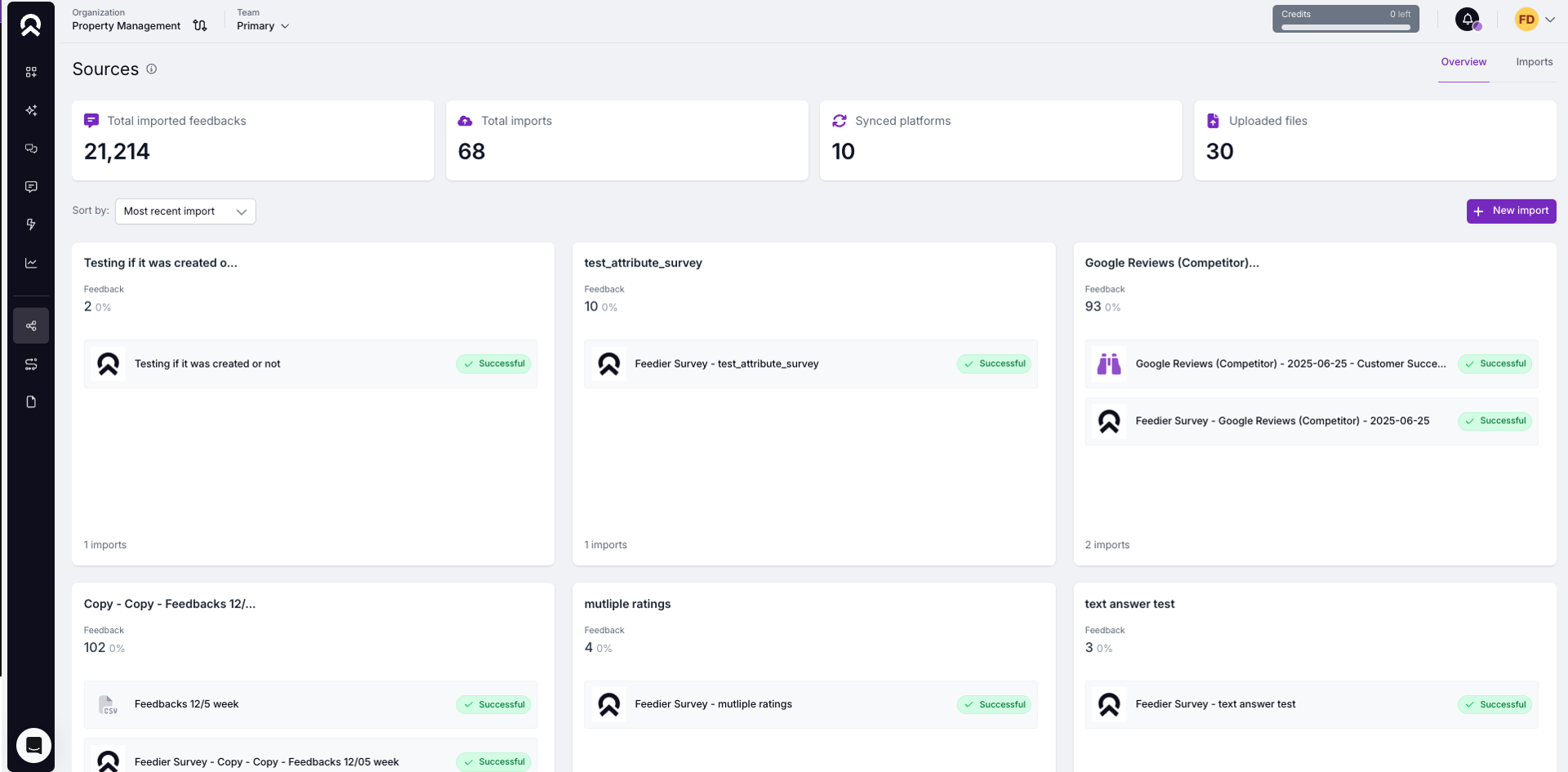
Feedier 4.0 introduces Sources, a new core entity that replaces the structural role previously played by Surveys. A Source represents where feedback comes from, independently of how it is collected.
What is a Source?
A Source can include:
- A feedback template
(ratings, text inputs, NPS, choices, etc.) - One or multiple linked imports
(e.g. multiple Google Reviews syncs feeding the same source)
This means multiple data streams can now contribute to a single, consistent feedback structure.
Updated Import Behavior
What’s changed
Imports are now connected to Sources instead of Surveys.
- Multiple imports can feed the same Source
- Imports focus on how data is collected, while Sources define how feedback is structured
- Surveys focus on collecting feedbacks
Info - Surveys as a new product:
With these changes the surveys will be used only for collection purposes and treated as an external product called “Feedier Surveys”. This decision is based on the product vision of what we are building: an AI Analyst. Feedier Surveys will be maintained but we are not planning on iterating this tool in the short and mid term.
Source Management UI
A new Sources management page gives you full visibility and control.
From this page, you can:
- View all existing sources
- See:
- Source type
- Feedback item types
- Linked imports
- Last update date
- Rename sources
- Add new imports to an existing source
- Modify feedback templates
- Monitor import executions
- View the full list of imports
- Control which teams can access each source
New Import Type: Feedier Survey
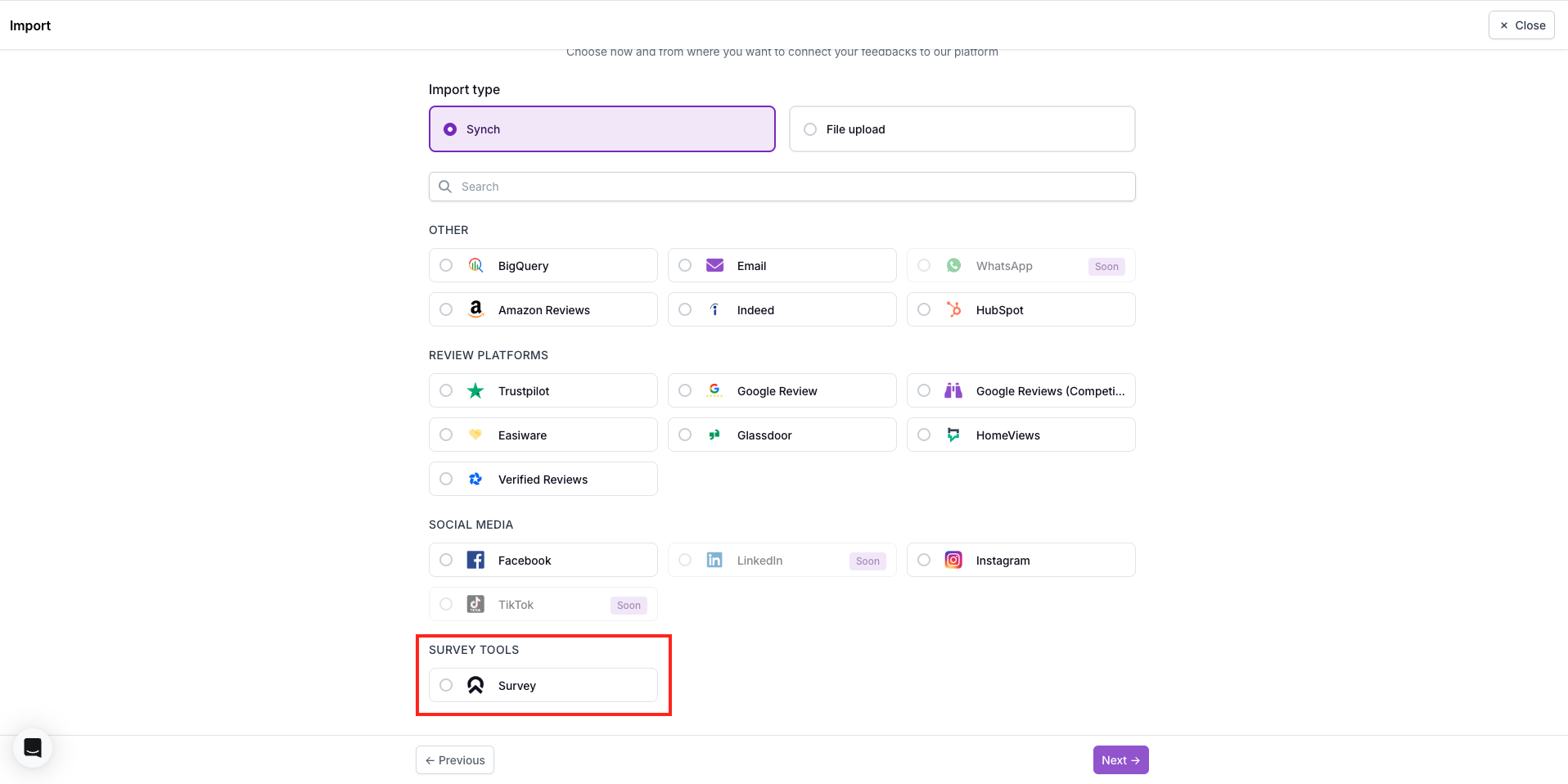
A new import type allows you to sync feedback from Feedier Surveys into Sources.
Import setup flow
When configuring this import, you will:
- Select a Feedier survey
- Choose a Source:
- Select an existing Source, or
- Create a new one
- Map survey questions and attributes to Feedier’s schema
(automatically prefilled based on available data)
Execution logic
Initial Sync
- Imports all existing feedback from the survey
- Prevents duplicates if feedback already exists
Real-Time Sync
- After the initial sync, a webhook is set up
- New feedback is imported automatically as it is submitted
To consider on Feedier Surveys:
- In Feedier Surveys there is no more team structure. Surveys visibility will depend on the access granted.
- Existing surveys will have the users access depending on current teams.
- Existing surveys will have the users access depending on current teams.
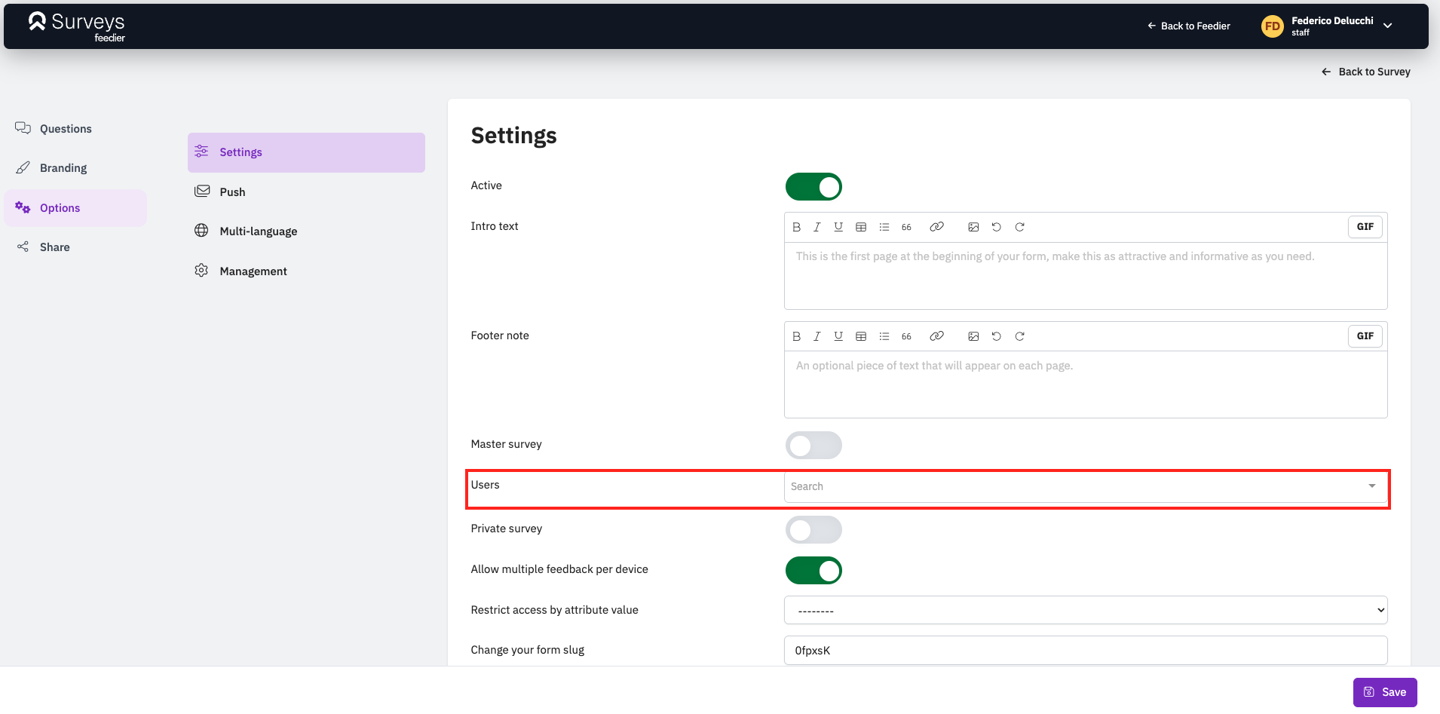
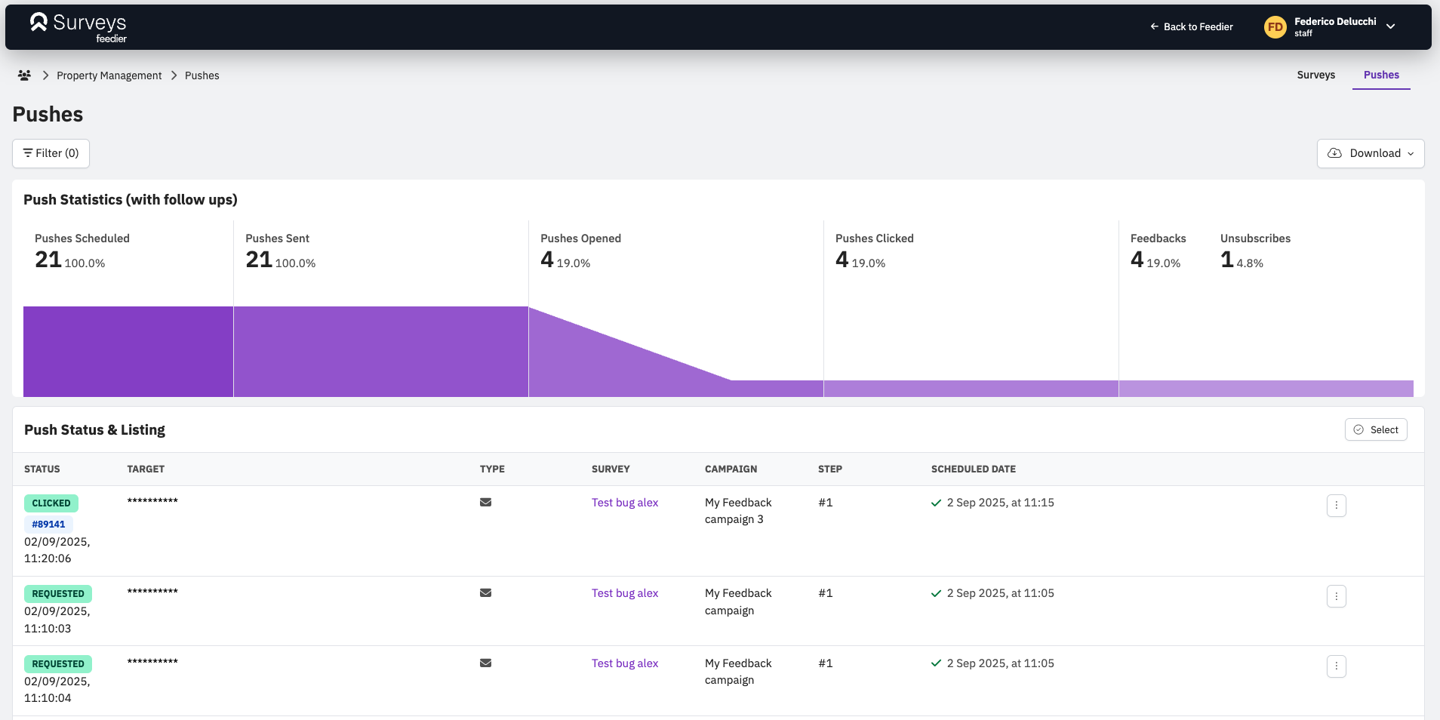
- Pushes are a new page in Feedier Surveys
Level 4? You're Level 2
Get the Five Levels of Voice of Customer Maturity

Our articles for further exploration
A selection of resources to inform your CX decisions and share the approaches we develop with our clients.