Salesforce feedback import and full control over your choice display order
Version 4.12.0 — June 4th, 2026
Your CX data is only as useful as it is complete. This release helps you pull in more of it — and present it more clearly.
Version 4.12.0 introduces Salesforce Cases import into Feedier, turning your support tickets into structured feedback. It also gives you full control over how choice values are ordered across benchmarks, reports, and exports — so your data always tells the same story, wherever you view it.
The reality CX teams are dealing with
Most CX teams don't work with a single source of feedback. They deal with surveys, reviews, support tickets — spread across platforms that don't talk to each other.
Salesforce is where customer issues get resolved. But the insights locked inside those Cases — the patterns, the recurring complaints, the resolution context — rarely make it into the broader feedback analysis. That's a blind spot.
At the same time, when your choice values (Yes/No, multi-select options) appear in a different order depending on the view, comparisons become unreliable. Reports start requiring explanations before they make sense.
What's New in This Release
Bring your Salesforce Cases into your feedback analysis
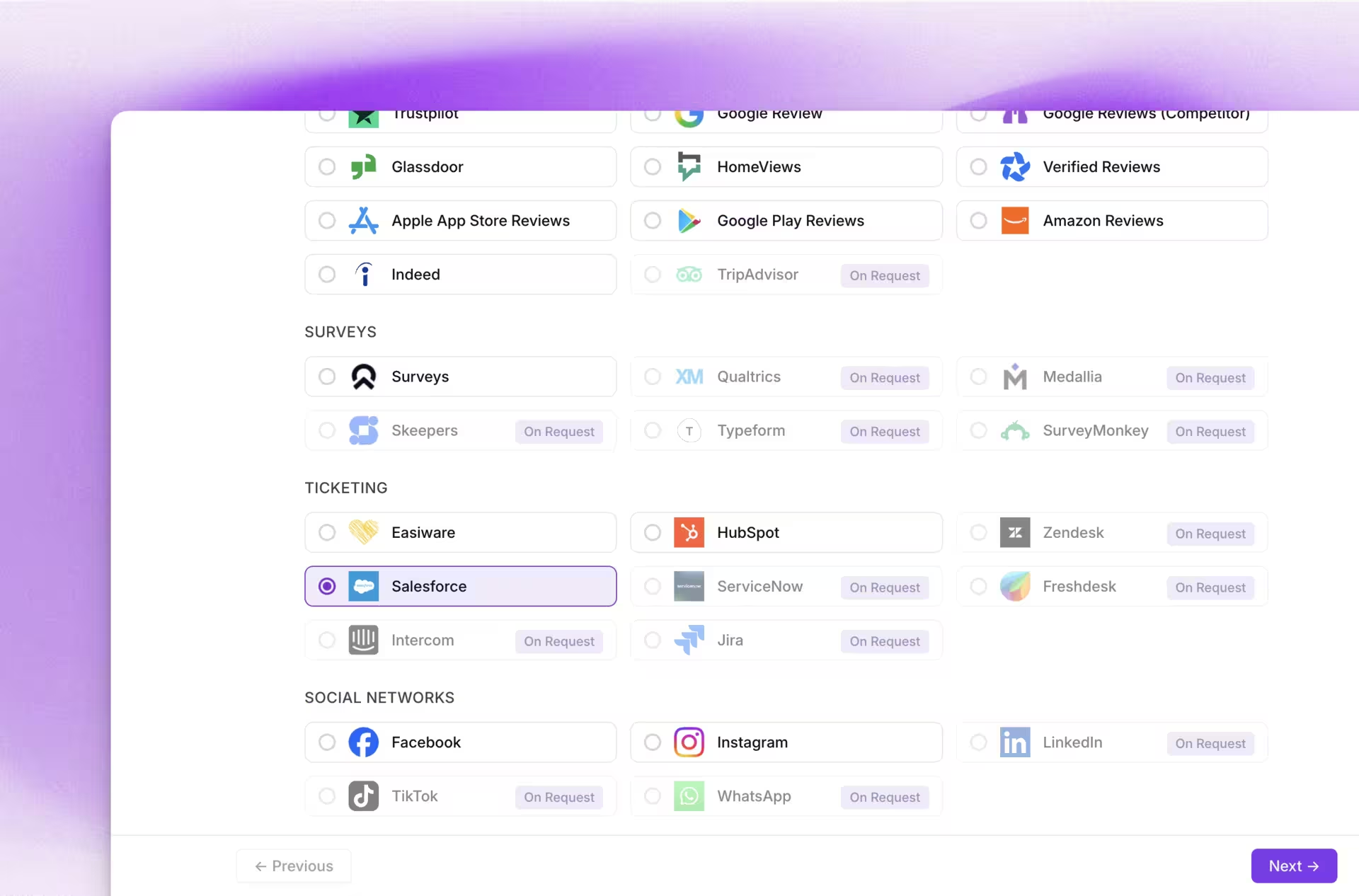
A new source of customer signal
You can now import Salesforce Cases directly into Feedier as a new ticketing source. Feedier uses your existing Salesforce OAuth connection — no new permissions or admin installs required. Once configured, you choose which cases to import (closed only, or all cases with live sync), map standard and custom Case fields to Feedier attributes, and run incremental syncs that avoid duplicates.
Why it matters for CX teams
Support tickets are a goldmine of customer signal. Resolution notes, ticket categories, recurring complaint types — all of that context can now flow directly into your Feedier analysis. You can cross-reference ticket data with survey responses, identify whether the issues your support team handles match the themes your CX team tracks, and build a more complete picture of the customer experience.
How your team can use it
- Identify whether recurring support topics correlate with low NPS scores in the same segment
- Import closed cases from a specific time period to enrich a post-incident feedback analysis
- Cross-reference customer complaint categories from Salesforce with verbatim themes in Text Analysis
- Build reports that include ticket volume alongside feedback KPIs for executive reviews
This means you can bring your support team's data into your CX analysis without any manual export, giving you a more complete view of customer pain points.
Your choice values, in the order that makes sense
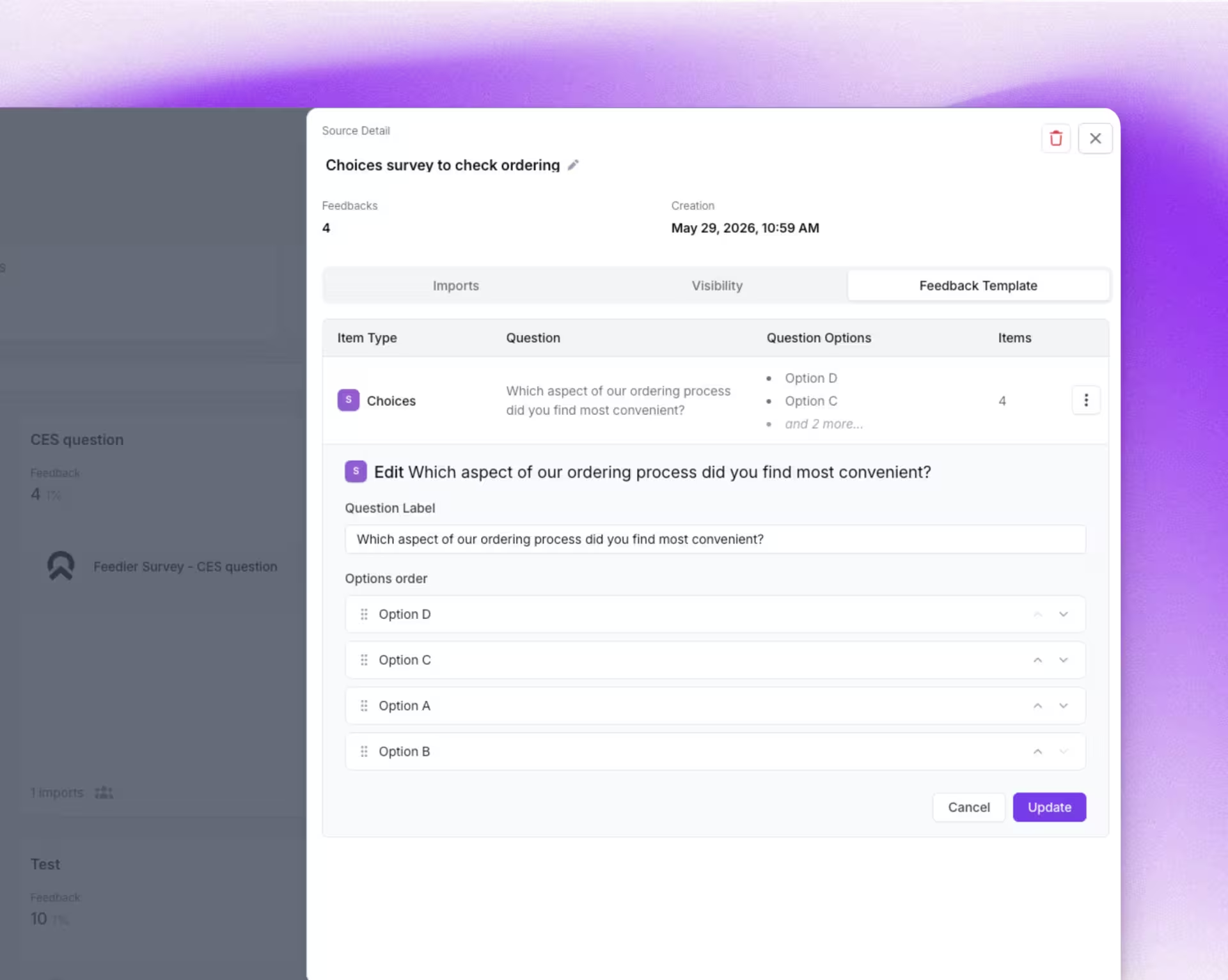
One setting, consistent everywhere
You now control the exact display order of choice values across all views in Feedier — benchmarks, feedback items, segments, reports, and exports. You set the order once in your feedback template using drag-and-drop, and that order is applied everywhere. When a survey import runs for the first time, choices are pre-filled in their original survey order. Any new choice added later is flagged as "unordered" so you can place it where it belongs.
Why consistency matters
Consistency in how data is displayed is not a cosmetic detail — it's what makes comparisons reliable. When Yes/No appears as Yes then No in one view but reversed in another, stakeholders notice. Reports require footnotes. Executive presentations need verbal clarification.
With a fixed, intentional display order, your reports are immediately readable. Benchmarks are comparable. Exports are clean.
How your team can use it
- Set a logical order for satisfaction scale options (Strongly Disagree → Strongly Agree) and have it apply across all components
- Align Yes/No display order with your team's reporting convention, applied consistently across segments and reports
- Pre-configure choice order during source import setup so new sources are immediately ready for reporting
- Maintain clean exports for stakeholders who consume feedback data in spreadsheets or BI tools
This means you can control how your choice data is read and compared — once, in one place — and trust that every view will reflect it.
How to Access These Features
To set up the Salesforce import, go to Sources → New Import → Ticketing → Salesforce (Tickets). Your existing Salesforce OAuth connection will be detected automatically.
To configure choice value order, open your feedback template, navigate to the choice question, and use drag-and-drop to reorder the values. The order will propagate to all views automatically.
What This Release Changes for You
Version 4.12.0 is about reducing the gaps in your CX data. Salesforce Cases are no longer a separate silo — they become part of your feedback analysis. And the way you display choice data is no longer left to chance — you define the order, and it stays consistent everywhere.
The result is a more complete, more coherent picture of customer experience. Faster to build, easier to share, and harder to misread.
Try it in your workspace. If you want a walkthrough, contact your Feedier team.
Level 4? You're Level 2
Get the Five Levels of Voice of Customer Maturity

Frequently Asked Questions
Features, security, integration, support... Find here the answers to the most frequently asked questions about Feedier.
For any specific request, our team is here to listen.
A useful mapping consistently ties tickets to analysis dimensions you already use in Feedier. For example: Reason/Category → theme or category, Product/Module → product, Account tier → segment, Case origin → intake channel, Resolution code → outcome or result. Then use those attributes to answer questions like: “Do Enterprise accounts with high ticket volume have lower NPS over the same quarter?” or “Does reason X generate similar verbatims in Text Analysis?”
A useful mapping consistently ties tickets to analysis dimensions you already use in Feedier. For example: Reason/Category → theme or category, Product/Module → product, Account tier → segment, Case origin → intake channel, Resolution code → outcome or result. Then use those attributes to answer questions like: “Do Enterprise accounts with high ticket volume have lower NPS over the same quarter?” or “Does reason X generate similar verbatims in Text Analysis?”
Set it up in two steps: import a bounded history first to validate the model, then switch to incremental sync. Make sure the Case ID and update rules match your analysis logic, such as avoiding a new item every time the status changes. Also monitor fields that can change after closure (category, tags, resolution) to keep analyses stable and comparable.
Because inconsistent ordering creates reading and comparison errors, especially in benchmarks, segments, and exports. If “Yes/No” or a satisfaction scale flips order depending on where you are, it introduces friction: charts read backwards, interpretations diverge, and exports become harder to reuse in BI. Defining the order once and applying it everywhere standardizes how data is read and reduces misunderstandings during executive reviews.
Treat “unordered” as a governance task. Define a canonical order per question, such as negative to positive, or rarest to most frequent, and add reviewing new options into a recurring ritual, weekly or with each new source. Avoid reordering options that stakeholders have already been analyzing in recurring exports. The goal is to stabilize interpretation over time while still integrating new values cleanly as they appear.
Our articles for further exploration
A selection of resources to inform your CX decisions and share the approaches we develop with our clients.