Better Feedback Traceability and Smarter Segment Navigation

Version 4.11.0 — May 28th, 2026
This release brings two targeted improvements that make day-to-day CX operations smoother. You can now see exactly who did what on each feedback — and find your segments faster with filters that actually match how you work.
For teams running feedback at scale, these are the kinds of changes that quietly save hours every week.
The Friction That Builds Up Over Time
As your feedback volume grows, so does the complexity of managing it. Multiple team members are reviewing, reassigning, and updating the same feedback records. Without a clear history of actions, it becomes difficult to track accountability or understand why something changed.
At the same time, as your text analysis matures, your Segments page fills up. Finding the right segment — by type, by team — requires scanning through lists that weren't built for navigation at scale. It slows down analysis before it even starts.
What's New in This Release
Know Exactly What Happened, and When
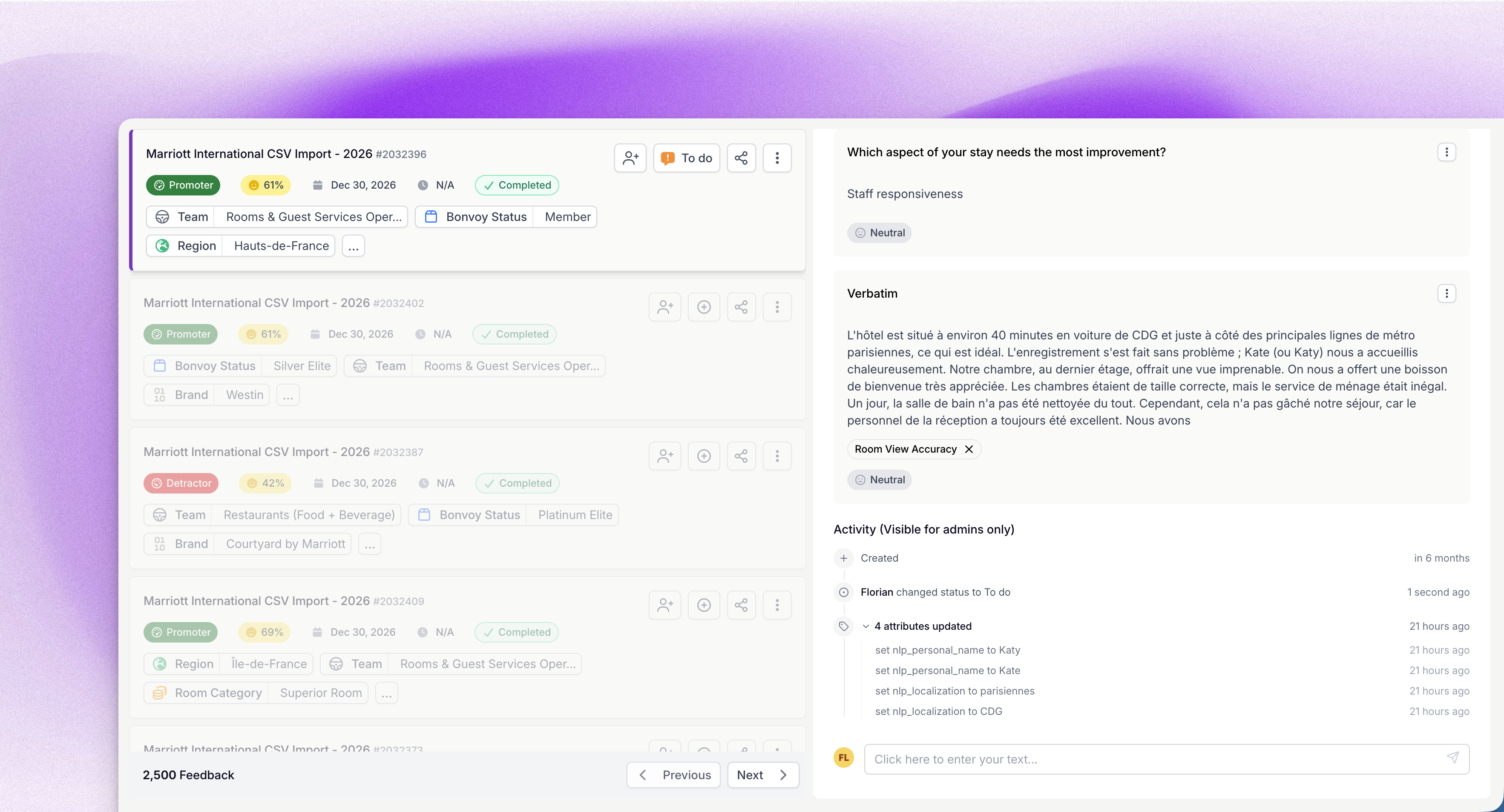
The full picture of every feedback action
A new History panel is now available inside each feedback detail view in Live Feed. It displays a complete, chronological log of all actions taken on that feedback — with the most recent at the top.
Why it matters
Accountability in CX operations isn't a nice-to-have. When a case is reassigned, when a status changes, when a team member accesses sensitive data — these actions have consequences. The History panel makes that information instantly available, without needing to ask around or dig through exports.
What you can do now
- Review who reassigned a feedback and when, before a client escalation
- Confirm that sensitive data was accessed by the right person at the right time
- Track manual attribute changes across a feedback's lifecycle
- Audit status changes as part of your quality review process
This means you can move from uncertainty to full clarity on any feedback's history in seconds.
How to access it
Open any feedback in Live Feed, and navigate to the new History tab in the detail view. The panel is visible to admin users only.
Find Your Segments Without the Scroll
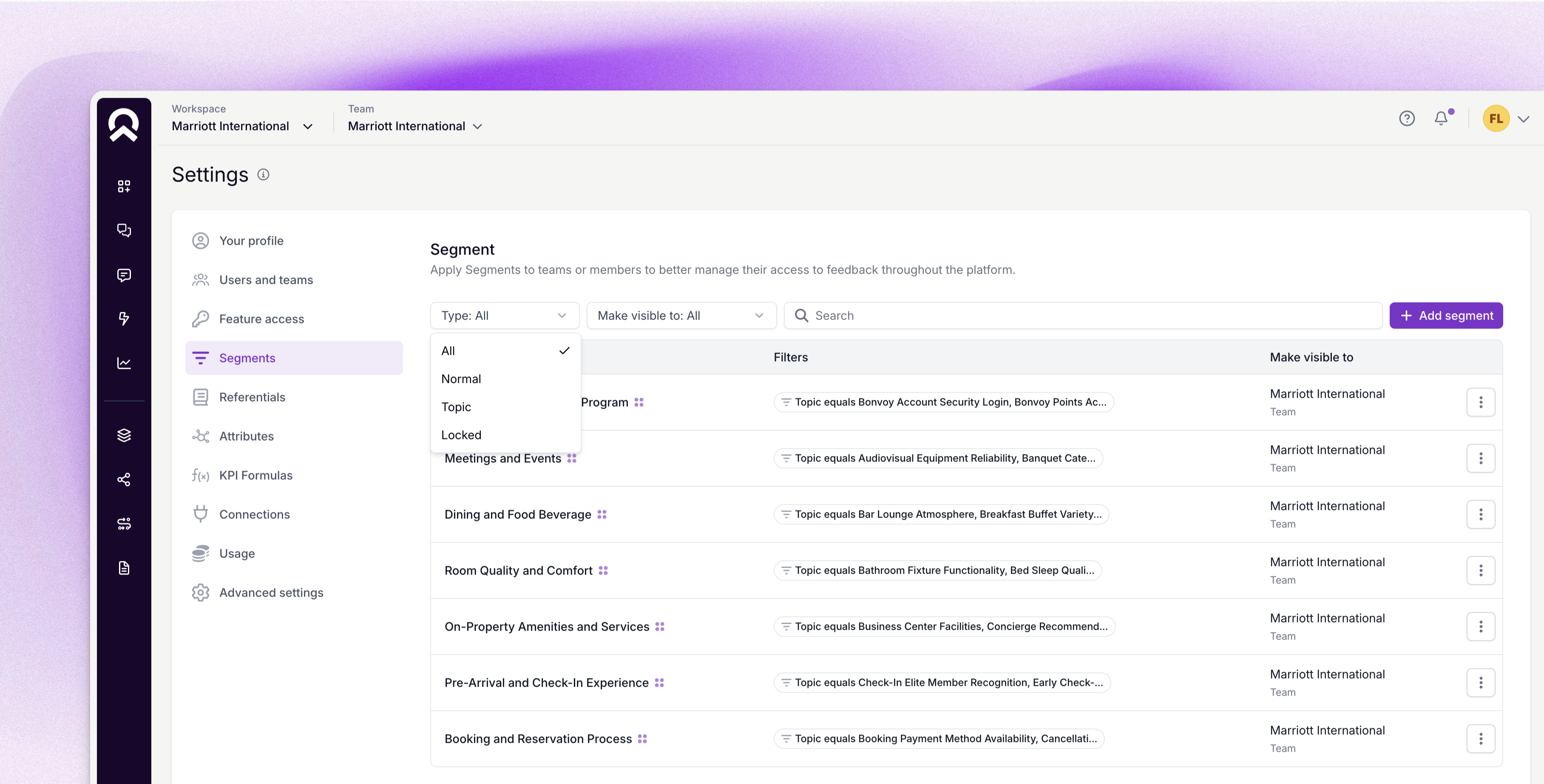
Filters and a cleaner layout on the Segments page
The Segments page now includes filters and a refreshed column layout, making it significantly easier to locate and manage segments when you're working with a large library.
Why it matters
A well-organized Segments page is the foundation of efficient text analysis. When you can't quickly find the segment you need — by type or by team — you lose momentum before the actual analysis begins. These filters restore that speed.
What you can do now
- Filter the list to show only Topic Segments before running a text analysis
- Find all segments belonging to a specific team in one click
- Use the reordered layout to scan Owners and Actions columns faster
- Quickly identify Input Lists or Attribute Segments without scrolling through everything
This means you can get to the segment you need and start your analysis without friction.
How to access it
Go to Text Analysis → Segments. The filter bar and updated column layout are available immediately for all users.
What This Release Changes for You
Version 4.11.0 is about reducing the invisible overhead that accumulates in high-volume feedback environments. Whether it's tracing an action that happened three days ago or finding a segment in a library of fifty — the time saved adds up.
These two improvements make your team more autonomous, your audits more reliable, and your analysis workflows faster.
Try it in your workspace.
Level 4? You're Level 2
Get the Five Levels of Voice of Customer Maturity

Our articles for further exploration
A selection of resources to inform your CX decisions and share the approaches we develop with our clients.